HOW TO CHECK YOUR TV/DISH REMOTE IS WORKING OR NOT WORKING USING MOBILE

Hi friends, Today I am going to tell a new trick to test your TV/DISH remote is working or not workig using your mobile. Suppose you are going to buy a new remote then you can not take tv with you so if you want to check the remote is working or not working then just follow these steps


STEP 1. - First of all open CAMERA of your mobile.


STEP 2. - Focus the Remote's IR-LED(Infra Red Light Emitting Diode) toward the camera of your mobile

STEP 3. - Now Here are two things to be noted


  • if a light will appear in your phone camera then your Tv remote is working
  • if a light will not appear in your phone camera then your Tv remote is not working

" ENJOY AND WAIT FOR THE NEXT "


HOW TO REMOVE WATERMARK FROM AN IMAGE? [PHOTOSHOP TUTORIAL]


In an earlier post I had written a tutorial on how to add a watermark to an image. Now in this tutorial we are going to see how to remove watermark on an image.
For this tutorial I have taken a cat’s photograph. We can see the watermark on it and to the right you can see the image after I removed the watermark.
First make a selection around the Watermark text. You can use Pen tool or Magic Wand toolfor this. But here I have used both.
Now I create a selection around the watermarked text image as shown in the image below.
Now lets make some changes to the selected area.
  • Go to Edit>Fill (Shift+F5).
  • You can see Fill Pallet box display on your screen.
  • Here I have used Use – Content-Aware, Mode-Normal, Opacity-100% as you can see in the image below.
Now Deselect the selection. Just Press Ctrl+D for de-selecting the selection. You can see watermarked area filled with the background color. Now I have to remove the outline of the watermarked text image.
For this we using the Clone Stamp Tool (S)
Then with the help the Clone Stamp Tool remove the Watermark text outline. Just pick the similar color of the outline near part by pressing Alt key and fill it on the outline (seem image below).
After removing the whole outline where of the remains of the watermarks outline we have the image ready.
Sometimes removing watermark is necessary when we need to use a particular image in a certain way. Watermarked images usually are copy-righted. In this case do give credit or take permission from the original copyright holder of the image specially if you are reproducing that image in any form commercially.
Do drop in your comments with your views.

ANDROID : COMPLETE INFORMATION


Hey friends, hi to all of you. Now-a-days there is a lot of talk about the term Android. Android is A robot with a human appearance,  Some of us might have a little knowledge about it. But today we will give you complete information about it. Well, Android is a mobile operating system and here is the detailed information:


What is Android?
Android is a Linux based mobile OS and was founded in 2003 by Andy Rubin, Rich Miner, Nick Sears and Chris White. Android Inc. worked secretly on their project until they ran out of money. Then, the search giant Google showed interest in the platform and acquired the company on 17th August 2005.

Google and Android
After being acquired by Google, Android platform was completely refined to new heights. However, first ever version was named as Astro. And second release, Bender fixed a lot of bugs and hence made it commercially usable.

Some Interesting Points


  • Have you ever thought how Google put those names to android versions like cupcake, donut etc? Well, naming is done in following manner : Firstly, it follows alphabetical order and then a suitable Dessert name starting from that letter is assigned to the version.
  • Android has been solely programmed in four languages, C,C++,Python and Java.
  • Android source code is available open source under Apache License, free of cost.
  • It became the most popular mobile OS in 2010 beating all of it`s rivals and still it has retained the most market share as of today.
Versions
Android has seen many releases from it`s initial launch and is still counting. The list is given in order in which they were released as below:
  • Astro (v1.0) Launched: September 23, 2008
Android Market, basic camera support, Google services integration, music support.
  • Bender (v1.1)  Launched: February 9, 2009
Minor bug fixes and attachment support enabled.
  • Cupcake (v1.5)  Launched: April 30, 2009
Third party keyboard support, external widgets enabled, enhanced copy paste functionality added, animated transitions, auto rotation, enhanced contacts and others.
  • Donut (v1.6)  Launched: September 15, 2009
Voice enabled search introduced, higher camera and gallery integration, gestures framework available for all apps.
  • Eclair (v2.0.x/2.1)  Launched:  October 26, 2009
Camera support enhanced,camera flash, new UI, HTML 5 support, other features improved.
  • Froyo (v2.2.x)  Launched: May 20, 2010
Wi-fi hotspot, tethering, Adobe flash support, support for high resolutions, speed optimizations with better preformance.
  • Gingerbread (v2.3.x)  Launched: December 6, 2010
Completely changed UI, support for VoIP, high copy paste functionality, NFC support, large screen support, better power management, improved gaming graphics, more sensors supported, mobile payment introduced.
  • Honeycomb (v3.x.x)  Launched:  February 22, 2011
Tablet only OS, tuned for large screens, tabbed browsing, multi core processors supported, hardware acceleration, joystick and gamepad support, stablity and bug fixes.
  • Ice Cream Sandwich (v4.0.x)  Launched:  October 19, 2011
Virtual buttons on screen introduced, customisable launcher, apps accessible from lockscreen, face unlock, voice integration faster speech-2-text, native app for NFC (Android beam), photo editor, 1080p video support for stock android devices, camera improvements.
  • Jelly Bean (v4.1.x)  Launched:  July 9, 2012
Widgets now resizeable, smoother UI, offline voice dictation, bug fixes and optimizations.
  • Key Lime Pie (v5.0) 
Not released yet.

So, enough talk about official ways. Now, every manufacturer modes it even some developer communities. So, you can get the version even if you device manufacturer doesn`t provide. Best option we prefer (unofficial) is Cyanogen. So, now you know what is Android?

HAVE A TRICKY DAY!!!


HOW TO DOWNLOAD YOUTUBE VIDEOS FORM MOBILE/PC


I think You all know about youtube so i have no need to give explaination about it.
But in short I'll say
You can watch any video of the world on youtube.com. Sometime we liked a video and want to download it to our device but we can not download it directly from youtube.com.
Then i decided to make your work easy and found  a trick for you
Just follow these steps to make it more easy


STEP 1- Search for any of your favourite video and copy its link from adress bar [e.g. http://www.youtube.com/watch?v=Iu8210k9WQc]


STEP 2 - Now change this your link with http://ssyoutube.com/watch?v=Iu8210k9WQc and hit enter

after this you'll automatically redirect to DOWNLOAD page, you can download your video in any format [eg.g. 3GP, MP4, FLV etc]


[Note - You can also do this trick with your mobile device]

"ENJOY & SHARE !!"


Read more: http://waytohacking.blogspot.com/2012/02/how-to-download-youtube-videos-form.html#ixzz26AskCM1P

NOKIA BLUETOOTH TRICK


Well, Now a day everyone have atleast one  nokia phone and know that "what is bluetooth".
It is very easy to send/recieve data via bluetooth but here is a trick for bluetooth
you can called this bluetooth trick as "BLUETOOTH PRANK"


So how this prank works, let us show you


STEP I - First of all turn on bluetooth of your nokia phone

STEP II - Now come back to home screen of your mobile
STEP III - Then dial this code *#9990#


STEP IV - Now go back to bluetooth menu and try to turn off your bluetooth. You'll surprised to see that your phone's bluetooth is not turning off...

STEP V - If you want to turn off your bluetooth then you have to "SWITCH OFF" your phone and again "SWITCH ON" it, After doing that go to BLUETOOTH PANEL and switch off your phone's bluetooth , It'll switched off
Enjoy and play this prank with your friends

[Note - This Prank works only in NOKIA S40 PHONES (e.g. Nokia 3110c, Nokia C2-01, Nokia 7210 Supernova etc) ]


Jukebox for Android Lets You Play Your Music Directly From The Cloud Free Of Cost

Want to take all your music with you, and listen to it in a variety of different ways? Then Jukebox may be right up your street.

Managing huge music libraries across multiple devices is nothing short of a nightmare, especially as our music collections continue to grow. You can always move, or copy files around manually, but the whole thing reeks of the 20th century, and a time when the internet wasn’t quite as useful as it is today.

One thing we love about the internet right now is the way it is changing the way we take everything with us when we leave home. Music is one great example, and Jukebox for Android is all about taking your music with you, wherever you go. So long as you have an internet connection, you’re golden.


The app itself needs a free Jukebox account, which allows users to upload their music, playlists and ratings to the cloud. Playback is handled by either the web-based client, or one of a collection of mobile apps. Right now there is an Android app, available to download from the Google Play Store, but we hear that both iOS and Windows Phone versions are in the pipeline for those not packing a phone or tablet running Google’s mobile operating system.


Both the apps and the cloud service is currently free, though we wonder how long that will be a viable business for those behind Jukebox. Servers with massive amounts of storage as well as the bandwidth to match don’t come cheap, and someone’s got to pay for it all. Still, we’ll reserve judgment there.
In addition to the cost issue, the people behind Jukebox are quick to say in the Android app’s description that the service is currently offered as a preview, so expect odd bugs, problems and downtime as and when it arrives. You’ve been warned!
At the very least though, Jukebox is a very good start to a service that goes into direct competition with Google Music and iTunes Match though, obviously, this is cross platform. And free, which can be a big consideration.


We’ll keep an eye out for developments across the Jukebox suite of apps.
(Source: Jukebox for Android on Google Play)
Make sure to check out our Android Apps gallery to explore more apps for your Android device.
You can follow us on Twitter, add us to your circle on Google+ or like our Facebook page to keep yourself updated on all the latest from Microsoft, Google, Apple and the web.


The Avengers 2012 DVDRip XviD AC3 - TODE


Windows 7 Wallpapers Pack


Windows 7 is the latest client version of Microsoft Windows for PCs and is the successor to Windows Vista.
Download Windows 7 Wallpapers Pack (RTM Build 7600.16385)
Download Windows 7 Login Wallpaper
Download Windows 7 Wallpapers Pack (Build 7068)
Download Windows 7 Wallpapers Pack (Build 7048)
Download Windows 7 Beta Wallpapers Pack (Build 7000)
Download Windows 7 Wallpapers Pack from PDC 2008
Download Windows 7 Box Art Wallpapers Pack
Download Michael Jackson branded Wallpaper for Windows 7
Download Windows 7 Box Art Wallpapers (Ultimate, Professional & Home Premium)
Download Wallpaper from Windows 7 Starter


Sprink – The Internet Media Player


Description:
A WPF-based mini YouTube client app for Windows which brings video content from YouTube data servers right to your desktop. Sprink enables you to run YouTube videos outside your browser. Includes a CoverFlow like 3D View too for browsing through videos.
Requirements:
Download:
Application: Sprink
Version: 0.677 (April 2009 Preview)
Release Date: 19th April 2009


Turn off your notebook LCD with one-click


I am sharing this small and useful application with all of you as a freeware license. You are free to distribute and use this application. I have tested this application on Windows Vista only. Please let us know if it works on earlier versions of Windows.
Icon used in this application is Copyrighted to 2008 Microsoft Corporation.


Download
Application Name: Turn Off LCD
Version: 1.0
OS Compatibility: Tested on Windows Vista
Size: 85 kb (.exe) and 68.5 kb (.zip)
Click here to download
UPDATE:
Version: 
1.01
Change Log: Removed the MS-DOS console window which was displayed whenever the display came back from off mode.
Click here to download
UPDATE 2:
Version: 
1.00 and 1.01
The application works with both Windows XP and Windows Vista. For Windows XP based computers, you will need to install Microsoft .NET Framework 2.0 before running this application.


It’s possible to embed high quality YouTube video clips on external website for direct viewing or playback of visitors. But to many disappointment and dismay, the so called “higher quality” (and declared as HD by many other websites) is simply not good and not high resolution enough. Now, Google has made available YouTube video play back in High Definition (HD) mode of 720p by just adding &fmt=22 to the video URL or link location.

As such, for webmasters and bloggers who embed YouTube hosted videos, now it’s time to start embed a real true HD videos for the real exhilarating enjoyment when watching and viewing the playing video clip.
To embed a HD quality YouTube video with high definition resolution on external website or blog, simply add or append &ap=%2526fmt%3D22 code (instead of &ap=%2526fmt%3D18 to display just higher quality 480×360 video clip) to the end of movie parameter value and embed source in the YouTube embed code. For example, we take a look at original embed code for “Where the Hell is Matt? (2008)” YouTube hosted video clip that available in HD format.
<object width=”425″ height=”344″><param name=”movie” value=”http://www.youtube.com/v/zlfKdbWwruY&hl=en&fs=1&rel=0″></param><param name=”allowFullScreen” value=”true”></param><param name=”allowscriptaccess” value=”always”></param><embed src=”http://www.youtube.com/v/zlfKdbWwruY&hl=en&fs=1&rel=0″ type=”application/x-shockwave-flash” allowscriptaccess=”always” allowfullscreen=”true” width=”425″ height=”344″></embed></object>
By appending &ap=%2526fmt%3D22 HD hack switch, the embed code will become like the following:
<object width=”425″ height=”344″><param name=”movie” value=”http://www.youtube.com/v/zlfKdbWwruY&hl=en&fs=1&rel=0&ap=%2526fmt%3D22“></param><param name=”allowFullScreen” value=”true”></param><param name=”allowscriptaccess” value=”always”></param><embed src=”http://www.youtube.com/v/zlfKdbWwruY&hl=en&fs=1&rel=0&ap=%2526fmt%3D22” type=”application/x-shockwave-flash” allowscriptaccess=”always” allowfullscreen=”true” width=”425″ height=”344″></embed></object>
The only caveat emptor is that not all (actually is most) videos uploaded to YouTube is not available in such very high quality HD viewing quality. The uploaded source videos must be encoded in HD quality resolution in order for the YouTube HD trick to work. Good news is that, the HD YouTube appears to have even better picture quality than Vimeo, the first video sharing site to support consumer HD (High Definition) playback, using the 720p resolution at 24 fps (frame per second) Flash video. YouTube plays back 720p HD video using H.264/MPEG-4 AVC codec in 1280×720 resolution with high-quality AAC two audio channels stereo sound at 232 kbit/s 44100 Hz monaural (near CD quality).

Note that although YouTube currently has the option to allow users to set YouTube to always play higher quality video when available, it’s not currently support auto play the HD format. It will play video in high quality mode with maximum picture size of 480 x 360 pixels with audio encoded in bit rate of up to 120 kbit/s at 44100 Hz monaural (FM quality).
Take a look at the Matt Dancing video in different YouTube supported resolutions below. Watch and view the video in full screen and listen carefully to the sound effect to get a feel of what HD really means.

Standard normal quality YouTube video.

High quality YouTube video.

HD (720p high definition) YouTube video.


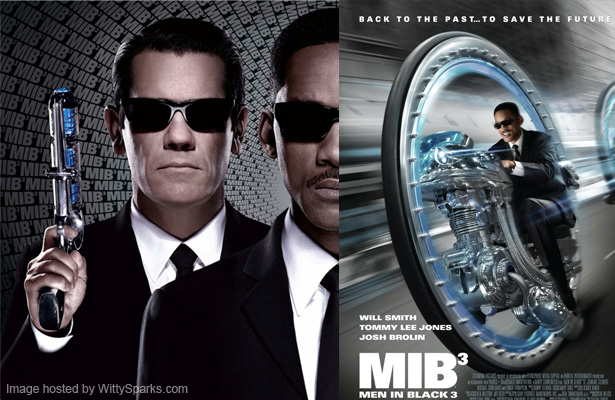
Men in Black 3 ~ 2012 ~ BD-Rip ~ x264 ~ 700MB


Posted Image
Posted Image
Posted Image
Posted Image
Posted Image
Posted Image
Posted Image
Posted Image

AFTER DOWNLOADED,TRY TO SEED BACK PLS


======================================================================

Posted Image


Attached File  Men in Black 3 ~ 2012 ~ BD-Rip ~ x264 ~ 700MB ~ Uyirvani.com.mkv.torrent   14.55K   1715 downloads


Posted Image

======================================================================


http://www.directmirror.com/files/8XB7YTHM

http://jumbofiles.com/e3bzajc3u24v

============================================================


http://jumbofiles.com/eapekxm4xmv2
http://jumbofiles.com/6kxcq248k1dt
http://jumbofiles.com/bvrtutgehbf5
http://jumbofiles.com/tf9qwm5wcuo3